# Sound Maker (Buzzer)
Purpose Of This Page
This page explains how to play musical notes with the CodyJoy Pro Sound Maker using Python.
The CodyJoy Pro includes several built-in features, including:
- RGB LED Matrix.
- Joystick.
- Sound Maker.
This page focuses only on the Sound Maker.
By the end of this page, students will be able to:
- Play a musical note.
- Choose how long a note should play.
- Use sharp notes such as `F#2`.
- Use flat notes such as `Gb2`.
- Play a note and continue immediately.
- Play a note and wait until it is done.
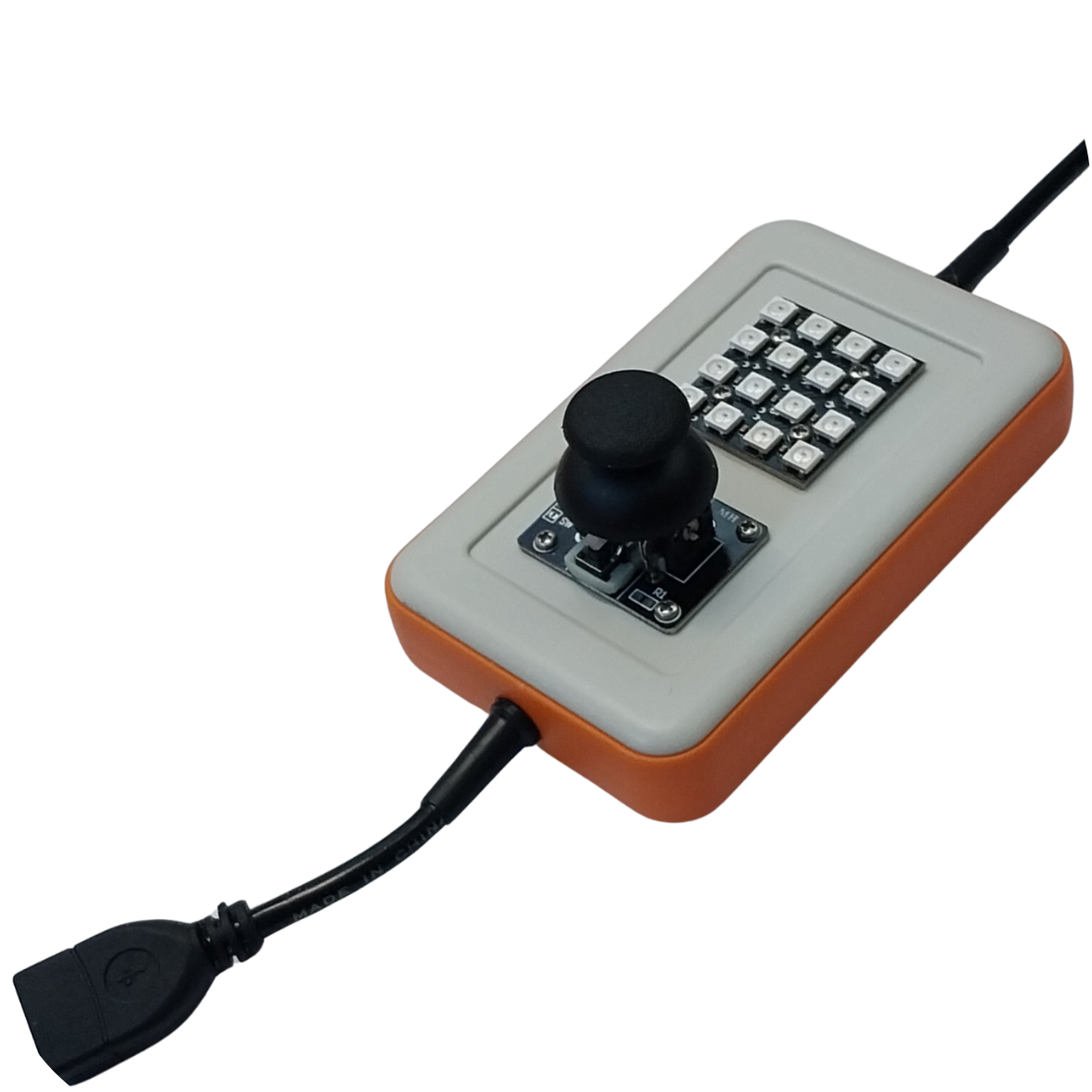
Figure 1 - CodyJoy Pro device. The board includes an RGB LED Matrix, joystick, and Sound Maker.
Start Code
Every CodyNick Python script should import the CodyNick library and connect to the CodyNick device.
```python
import CodyNick
cn = CodyNick.CN()
```
The variable `cn` represents the connected CodyNick device.
Play A Note
Use `CJP_Sound_Maker.play()` to play a note.
Function format:
```python
CodyNick.CJP_Sound_Maker.play(cn, note, duration_ms)
```
Example:
```python
import CodyNick
cn = CodyNick.CN()
CodyNick.CJP_Sound_Maker.play(cn, "F#2", 300)
```
This plays note `F#2` for `300` milliseconds.
The program continues immediately after starting the sound.
Play Until Done
Use `CJP_Sound_Maker.play_until_done()` when Python should wait until the note is finished.
Function format:
```python
CodyNick.CJP_Sound_Maker.play_until_done(cn, note, duration_ms)
```
Example:
```python
import CodyNick
cn = CodyNick.CN()
CodyNick.CJP_Sound_Maker.play_until_done(cn, "C4", 500)
print("The note is finished")
```
This plays note `C4` for `500` milliseconds. The message is printed after the note is done.
Duration
The duration is written in milliseconds.
Common examples:
| Duration | Meaning |
|---:|---|
| `100` | 0.1 second |
| `250` | 0.25 second |
| `500` | 0.5 second |
| `1000` | 1 second |
Example:
```python
CodyNick.CJP_Sound_Maker.play(cn, "A4", 1000)
```
This plays note `A4` for one second.
Sharp And Flat Notes
Sharp notes use `#`.
Example:
```python
CodyNick.CJP_Sound_Maker.play(cn, "F#2", 300)
```
Flat notes use `b`.
Example:
```python
CodyNick.CJP_Sound_Maker.play(cn, "Gb2", 300)
```
`F#2` and `Gb2` are the same pitch.
Example: Play A Short Melody
This example plays a short melody using `play_until_done()`.
```python
import CodyNick
cn = CodyNick.CN()
CodyNick.CJP_Sound_Maker.play_until_done(cn, "C4", 250)
CodyNick.CJP_Sound_Maker.play_until_done(cn, "D4", 250)
CodyNick.CJP_Sound_Maker.play_until_done(cn, "E4", 250)
CodyNick.CJP_Sound_Maker.play_until_done(cn, "G4", 500)
```
Because `play_until_done()` waits, the notes play one after another.
Example: Melody With A Loop
This example stores notes in a list and plays them in a loop.
```python
import CodyNick
cn = CodyNick.CN()
notes = ["C4", "D4", "E4", "F4", "G4", "A4", "B4", "C5"]
for note in notes:
CodyNick.CJP_Sound_Maker.play_until_done(cn, note, 250)
```
This plays a simple scale from `C4` to `C5`.
Example: Continue Immediately
This example starts a note and immediately continues to the next line.
```python
import CodyNick
cn = CodyNick.CN()
CodyNick.CJP_Sound_Maker.play(cn, "C5", 500)
print("This prints while the sound may still be playing")
```
Use `play()` when the program should continue immediately.
Use `play_until_done()` when the program should wait.
Function Summary
| Function | Purpose | Example |
|---|---|---|
| `CJP_Sound_Maker.play(cn, note, duration_ms)` | Play and continue immediately | `play(cn, "F#2", 300)` |
| `CJP_Sound_Maker.play_until_done(cn, note, duration_ms)` | Play and wait until done | `play_until_done(cn, "C4", 500)` |
Supported Notes
The Sound Maker supports notes from `B0` to `D#8`.
The table below shows the supported sharp-note notation and approximate frequencies.
| Note | Hz | Note | Hz | Note | Hz | Note | Hz |
|---|---:|---|---:|---|---:|---|---:|
| B0 | 31 | C1 | 33 | C#1 | 35 | D1 | 37 |
| D#1 | 39 | E1 | 41 | F1 | 44 | F#1 | 46 |
| G1 | 49 | G#1 | 52 | A1 | 55 | A#1 | 58 |
| B1 | 62 | C2 | 65 | C#2 | 69 | D2 | 73 |
| D#2 | 78 | E2 | 82 | F2 | 87 | F#2 | 93 |
| G2 | 98 | G#2 | 104 | A2 | 110 | A#2 | 117 |
| B2 | 123 | C3 | 131 | C#3 | 139 | D3 | 147 |
| D#3 | 156 | E3 | 165 | F3 | 175 | F#3 | 185 |
| G3 | 196 | G#3 | 208 | A3 | 220 | A#3 | 233 |
| B3 | 247 | C4 | 262 | C#4 | 277 | D4 | 294 |
| D#4 | 311 | E4 | 330 | F4 | 349 | F#4 | 370 |
| G4 | 392 | G#4 | 415 | A4 | 440 | A#4 | 466 |
| B4 | 494 | C5 | 523 | C#5 | 554 | D5 | 587 |
| D#5 | 622 | E5 | 659 | F5 | 698 | F#5 | 740 |
| G5 | 784 | G#5 | 831 | A5 | 880 | A#5 | 932 |
| B5 | 988 | C6 | 1047 | C#6 | 1109 | D6 | 1175 |
| D#6 | 1245 | E6 | 1319 | F6 | 1397 | F#6 | 1480 |
| G6 | 1568 | G#6 | 1661 | A6 | 1760 | A#6 | 1865 |
| B6 | 1976 | C7 | 2093 | C#7 | 2217 | D7 | 2349 |
| D#7 | 2489 | E7 | 2637 | F7 | 2794 | F#7 | 2960 |
| G7 | 3136 | G#7 | 3322 | A7 | 3520 | A#7 | 3729 |
| B7 | 3951 | C8 | 4186 | C#8 | 4435 | D8 | 4699 |
| D#8 | 4978 | | | | | | |
Practice Tasks
Try these exercises:
1. Play `C4` for `500` milliseconds.
2. Play `A4` for one second.
3. Play `F#2` for `300` milliseconds.
4. Play the same pitch using `Gb2`.
5. Create a list of notes and play them in a loop.
6. Write a short melody using at least five notes.
7. Compare `play()` and `play_until_done()` by printing a message after each function call.
Common Mistakes
Notes must be written as strings:
```python
CodyNick.CJP_Sound_Maker.play(cn, "C4", 500)
```
This is not correct:
```python
CodyNick.CJP_Sound_Maker.play(cn, C4, 500)
```
The duration is in milliseconds, not seconds:
```python
CodyNick.CJP_Sound_Maker.play(cn, "C4", 1000)
```
This plays for one second.
Use `play_until_done()` when the next note should wait:
```python
CodyNick.CJP_Sound_Maker.play_until_done(cn, "C4", 250)
CodyNick.CJP_Sound_Maker.play_until_done(cn, "D4", 250)
```
If `play()` is used for many notes in a row, later notes may start before earlier notes are finished.
Page summary:
The Sound Maker plays musical notes by name. Use `play()` to start a note and continue immediately, or use `play_until_done()` when Python should wait until the note is finished.