
Sound Maker (Buzzer)
Purpose Of This Page
This page explains how to play musical notes with the CodyJoy Pro Sound Maker using Python.
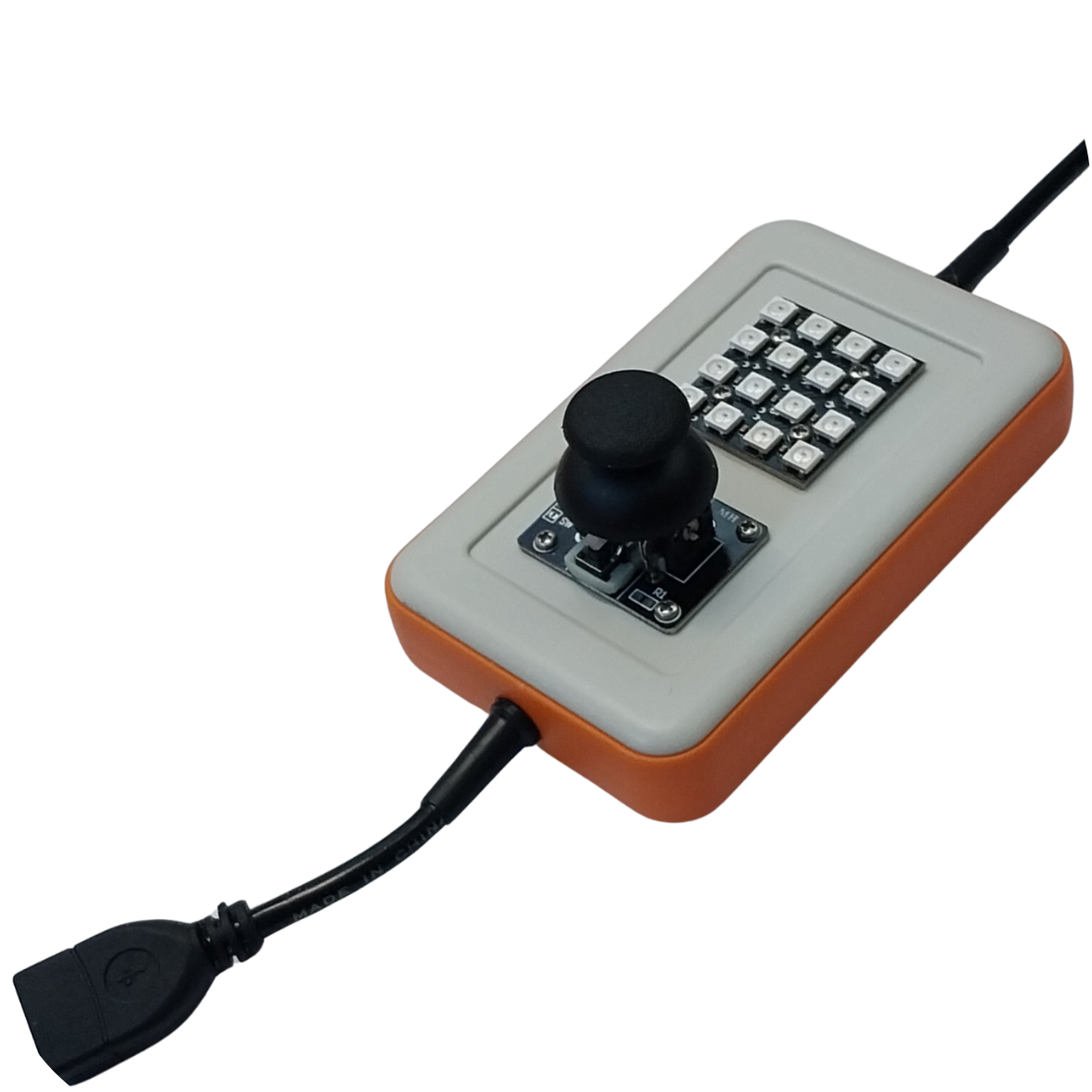
The CodyJoy Pro includes several built-in features, including:
- RGB LED Matrix.
- Joystick.
- Sound Maker.
This page focuses only on the Sound Maker.
By the end of this page, students will be able to:
- Play a musical note.
- Choose how long a note should play.
- Use sharp notes such as
F#2. - Use flat notes such as
Gb2. - Play a note and continue immediately.
- Play a note and wait until it is done.
Start Code
Every CodyNick Python script should import the CodyNick library and connect to the CodyNick device.
import CodyNick

cn = CodyNick.CN()
The variable cn represents the connected CodyNick device.
Play A Note
Use CJP_Sound_Maker.play() to play a note.
Function format:
CodyNick.CJP_Sound_Maker.play(cn, note, duration_ms)
Example:
import CodyNick

cn = CodyNick.CN()

CodyNick.CJP_Sound_Maker.play(cn, "F#2", 300)
This plays note F#2 for 300 milliseconds.
The program continues immediately after starting the sound.
Play Until Done
Use CJP_Sound_Maker.play_until_done() when Python should wait until the note is finished.
Function format:
CodyNick.CJP_Sound_Maker.play_until_done(cn, note, duration_ms)
Example:
import CodyNick

cn = CodyNick.CN()

CodyNick.CJP_Sound_Maker.play_until_done(cn, "C4", 500)
print("The note is finished")
This plays note C4 for 500 milliseconds. The message is printed after the note is done.
Duration
The duration is written in milliseconds.
Common examples:
| Duration | Meaning |
|---|---|
100 |
0.1 second |
250 |
0.25 second |
500 |
0.5 second |
1000 |
1 second |
Example:
CodyNick.CJP_Sound_Maker.play(cn, "A4", 1000)
This plays note A4 for one second.
Sharp And Flat Notes
Sharp notes use #.
Example:
CodyNick.CJP_Sound_Maker.play(cn, "F#2", 300)
Flat notes use b.
Example:
CodyNick.CJP_Sound_Maker.play(cn, "Gb2", 300)
F#2 and Gb2 are the same pitch.
Example: Play A Short Melody
This example plays a short melody using play_until_done().
import CodyNick

cn = CodyNick.CN()

CodyNick.CJP_Sound_Maker.play_until_done(cn, "C4", 250)
CodyNick.CJP_Sound_Maker.play_until_done(cn, "D4", 250)
CodyNick.CJP_Sound_Maker.play_until_done(cn, "E4", 250)
CodyNick.CJP_Sound_Maker.play_until_done(cn, "G4", 500)
Because play_until_done() waits, the notes play one after another.
Example: Melody With A Loop
This example stores notes in a list and plays them in a loop.
import CodyNick

cn = CodyNick.CN()

notes = ["C4", "D4", "E4", "F4", "G4", "A4", "B4", "C5"]

for note in notes:
    CodyNick.CJP_Sound_Maker.play_until_done(cn, note, 250)
This plays a simple scale from C4 to C5.
Example: Continue Immediately
This example starts a note and immediately continues to the next line.
import CodyNick

cn = CodyNick.CN()

CodyNick.CJP_Sound_Maker.play(cn, "C5", 500)
print("This prints while the sound may still be playing")
Use play() when the program should continue immediately.
Use play_until_done() when the program should wait.
Function Summary
| Function | Purpose | Example |
|---|---|---|
CJP_Sound_Maker.play(cn, note, duration_ms) |
Play and continue immediately | play(cn, "F#2", 300) |
CJP_Sound_Maker.play_until_done(cn, note, duration_ms) |
Play and wait until done | play_until_done(cn, "C4", 500) |
Supported Notes
The Sound Maker supports notes from B0 to D#8.
The table below shows the supported sharp-note notation and approximate frequencies.
| Note | Hz | Note | Hz | Note | Hz | Note | Hz |
|---|---|---|---|---|---|---|---|
| B0 | 31 | C1 | 33 | C#1 | 35 | D1 | 37 |
| D#1 | 39 | E1 | 41 | F1 | 44 | F#1 | 46 |
| G1 | 49 | G#1 | 52 | A1 | 55 | A#1 | 58 |
| B1 | 62 | C2 | 65 | C#2 | 69 | D2 | 73 |
| D#2 | 78 | E2 | 82 | F2 | 87 | F#2 | 93 |
| G2 | 98 | G#2 | 104 | A2 | 110 | A#2 | 117 |
| B2 | 123 | C3 | 131 | C#3 | 139 | D3 | 147 |
| D#3 | 156 | E3 | 165 | F3 | 175 | F#3 | 185 |
| G3 | 196 | G#3 | 208 | A3 | 220 | A#3 | 233 |
| B3 | 247 | C4 | 262 | C#4 | 277 | D4 | 294 |
| D#4 | 311 | E4 | 330 | F4 | 349 | F#4 | 370 |
| G4 | 392 | G#4 | 415 | A4 | 440 | A#4 | 466 |
| B4 | 494 | C5 | 523 | C#5 | 554 | D5 | 587 |
| D#5 | 622 | E5 | 659 | F5 | 698 | F#5 | 740 |
| G5 | 784 | G#5 | 831 | A5 | 880 | A#5 | 932 |
| B5 | 988 | C6 | 1047 | C#6 | 1109 | D6 | 1175 |
| D#6 | 1245 | E6 | 1319 | F6 | 1397 | F#6 | 1480 |
| G6 | 1568 | G#6 | 1661 | A6 | 1760 | A#6 | 1865 |
| B6 | 1976 | C7 | 2093 | C#7 | 2217 | D7 | 2349 |
| D#7 | 2489 | E7 | 2637 | F7 | 2794 | F#7 | 2960 |
| G7 | 3136 | G#7 | 3322 | A7 | 3520 | A#7 | 3729 |
| B7 | 3951 | C8 | 4186 | C#8 | 4435 | D8 | 4699 |
| D#8 | 4978 |
Practice Tasks
Try these exercises:
- Play
C4for500milliseconds. - Play
A4for one second. - Play
F#2for300milliseconds. - Play the same pitch using
Gb2. - Create a list of notes and play them in a loop.
- Write a short melody using at least five notes.
- Compare
play()andplay_until_done()by printing a message after each function call.
Common Mistakes
Notes must be written as strings:
CodyNick.CJP_Sound_Maker.play(cn, "C4", 500)
This is not correct:
CodyNick.CJP_Sound_Maker.play(cn, C4, 500)
The duration is in milliseconds, not seconds:
CodyNick.CJP_Sound_Maker.play(cn, "C4", 1000)
This plays for one second.
Use play_until_done() when the next note should wait:
CodyNick.CJP_Sound_Maker.play_until_done(cn, "C4", 250)
CodyNick.CJP_Sound_Maker.play_until_done(cn, "D4", 250)
If play() is used for many notes in a row, later notes may start before earlier notes are finished.
The Sound Maker plays musical notes by name. Use `play()` to start a note and continue immediately, or use `play_until_done()` when Python should wait until the note is finished.